


Product Details
GE DS200TBQCG1A working principle and function:
Signal type: mainly processes milliampere (mA) signals, including 4-20mA input signals, 20-200mA output signals, and LVDT/R position input signals.
Signal transmission: writes the input mA signal and LVDT/R position signal to the TCQA board in the corresponding core.
Jumper function: Jumpers BJ1 to BJ15 are used to connect mA input signals 1-15 on the DS200TBQCG1A to DCOM.
Precautions for use:
Static protection: The terminal board is an electrostatically sensitive device. When handling, minimize direct contact with the PCB. If contact is necessary, hold the edge and wear anti-static gloves.
Installation environment: It should be installed in a dry, clean environment without corrosive gases. Avoid installation in high temperature, humid, dusty or vibrating places.
Installation operation: It should be installed and maintained by professional technicians. Before installation, make sure that the power is turned off and wait for enough time (such as 30 seconds) to ensure that components such as capacitors are discharged to avoid the risk of electric shock.
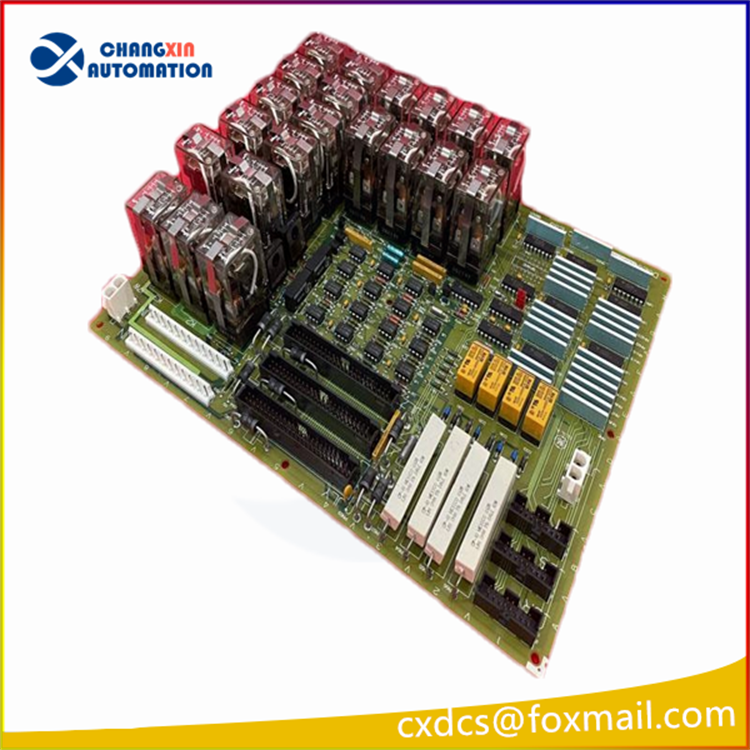
How to configure the DS200TBQCG1A terminal board according to application requirements?
1. Identify the signal type and range: Determine the type of signal that needs to be connected to the terminal board in the actual application, whether it is a 4-20mA input signal, a 20-200mA output signal, or an LVDT/R position input signal. Select the correct input and output channels based on the signal type, and ensure that the signal range is within the specifications of the terminal board.
2. Set the jumpers: Jumpers BJ1 to BJ15 on this terminal board are used to connect mA input signals 1-15 to DCOM. Based on the specific application requirements, determine whether it is necessary to configure the signal connection method through jumpers to achieve specific signal transmission paths and functions.
3. Connect the connectors: The DS200TBQCG1A has 3 40-pin connectors and 3 34-pin connectors. Identify other devices or circuit boards connected to these connectors, such as TCQA boards, etc., and correctly connect the corresponding connectors according to the communication requirements and signal transmission requirements between devices to ensure that the signals can be accurately transmitted. For connectors that are not used, such as JBS/T, JFS/T, and test connectors, they can generally be ignored, but make sure that they are not accidentally connected to cause signal interference or errors.
4. Plan terminal connections: The terminal board has two terminal blocks, each of which contains 83 signal line terminals, and a total of 166 signal wires can be connected. According to the number and distribution of input and output signals, reasonably plan the connection between signal wires and terminals to ensure that each signal can be connected to the correct terminal, and facilitate subsequent maintenance and troubleshooting. You can make a terminal connection diagram to record the source and destination of the signal connected to each terminal.
5. Consider the installation environment and electrical safety: Although this is not a direct configuration operation, the installation environment will affect the performance and life of the terminal board. It should be installed in a dry, clean, non-corrosive gas environment, avoiding high temperature, humidity, dust or vibration. At the same time, pay attention to electrical safety. During installation and maintenance, make sure that the power is turned off and wait for enough time (such as 30 seconds) for components such as capacitors to discharge to avoid the risk of electric shock.
6. Perform functional tests: After completing the configuration and connection of the terminal board, perform a comprehensive functional test to check whether the input signal can be accurately transmitted to the corresponding device or circuit board, and whether the output signal meets expectations. You can use professional test instruments, such as milliammeters, to measure and verify the signal. If necessary, you can also perform some simulated working condition tests to ensure the stability and reliability of the terminal board in actual applications.

People also buy
|
HONEYWELL |
EMERSON |
General Electric |
|
51195153-005 |
EZ1000 |
8810-HI-TX-01 |
|
51195153-902 |
EZ1900-045 |
8811-IO-DC-01 |
|
51195199-010 |
PR6423/10R-030 CON021 |
8002-CC-85 |
|
51196041-100 |
A6910 |
8601-FT-NI |
|
51196694-928 |
PR6424/003-030 CON021 |
8611-FT-FU |
|
51403519-160 K4LCN-16 |
PR6424/000-100 CON021 |
8709-CA-08 |
|
51401497-100 |
A6125 |
8750-CA-NS |
|
FTA-T-21 |
KJ3002X1-BG2 12P1731X082 VE4003S5B1 |
8104-AO-IP |
|
SB3610-B |
ES0350.M1A05L.27N0 |
8913-PS-AC |
|
51401635-150 |
FX-490 |
IC693CBK001 |
|
CC-PAIX02 51405038-475 |
FX-340 |
8421-CC-PS |
|
51202330-200 |
EN-204 EN-204-00-000 |
8020-CE-RH |
|
51202330-300 |
1X00781H01L |
8021-CE-LH |

There are no reviews yet.