


Product Details
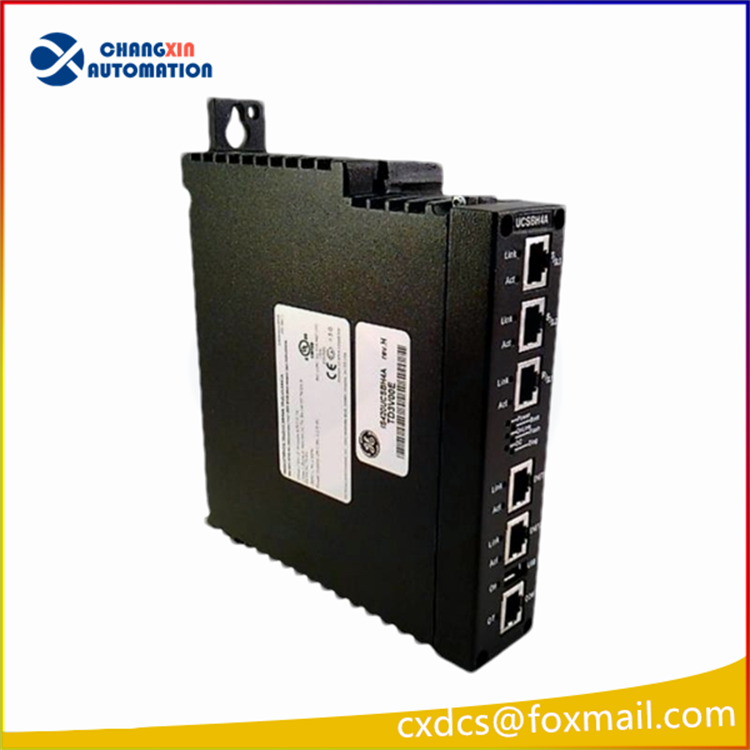
IS420UCSCH2A-C is a dual-core Mark VIe controller designed for industrial automation and control systems, especially in the power generation, oil and gas industries.
IS420ESWBH2A Technical Parameters:
Port Type: Two 100Base-FX multimode fiber ports, RJ45 connector port.
Insertion/Removal Cycle Capability: The RJ45 connector should be able to use up to 200 insertion/removal cycles.
Inrush Current: Provide soft start to limit the inrush current to less than 200 percent of the normal operating current.
Function Abbreviation: ESWB.
Compliant Standards: G3 Standard.
Hazardous Location Capability: Zone 2 Class 2 / Zone 2 Class 1 / ATEX.
Product Features:
High Performance: Dual-core processors provide fast processing speed and high throughput, which can meet the real-time processing requirements of complex industrial control tasks.
Scalability: The controller can be flexibly expanded according to application requirements to adapt to industrial control systems of different sizes and complexities.
High Reliability: Designed for high reliability and high uptime, with redundancy and fault tolerance, it can operate in critical industrial applications and reduce system downtime.
Security: Contains a series of security features to protect the system from unauthorized access and ensure the security of industrial control systems.
How to configure and debug
Check the hardware connection: Make sure the power supply of the switch is normal, and correctly connect the devices to be connected (such as industrial controllers, sensors, computers, etc.) to the RJ45 port or fiber port of the switch through the Ethernet cable. Check whether the network cable is plugged in properly, whether the fiber connection is stable, and whether there are signs of looseness or damage.
Confirm the device status: Observe the indicator lights on the switch. Usually each port has a corresponding indicator light to display the connection status of the port, data transmission status, etc. For example, a green indicator light that is always on indicates that the port is connected and working properly, and a flashing indicator indicates that there is data transmission. If the indicator light is off or displays abnormally, it may indicate that there is a problem with the connection, and you need to further check whether the network cable, device interface or switch port is normal.
IP address setting: Since it is an unmanaged switch, it is generally not necessary to configure the IP address of the switch itself. However, the devices connected to the switch need to set the correct IP address, subnet mask, gateway, DNS server and other information according to the requirements of the network to ensure normal communication between the devices. Make sure that the IP addresses of these devices are in the same subnet and do not conflict with other devices in the network.
Network parameter check: Check the configuration of other devices in the network, such as routers, firewalls, etc., to ensure that they allow normal data transmission between the switch and the devices connected to the switch. For example, check whether the routing table of the router is correct and whether the firewall has set rules to allow related devices to communicate.
Ping test: On the device connected to the switch, use the Ping command to test the connectivity between devices. For example, from a computer, ping the IP address of another device connected to the same switch. If a response is received, it means that the switch and network connection are basically normal. If Ping fails, you need to check the network settings of the device, the switch connection, and whether there is a network failure in the middle.
Data transmission test: Some simple data transmission tests can be performed between devices, such as file transfer, network application connection test, etc., to verify whether the switch can forward data normally and ensure the stability and accuracy of data transmission.


There are no reviews yet.