

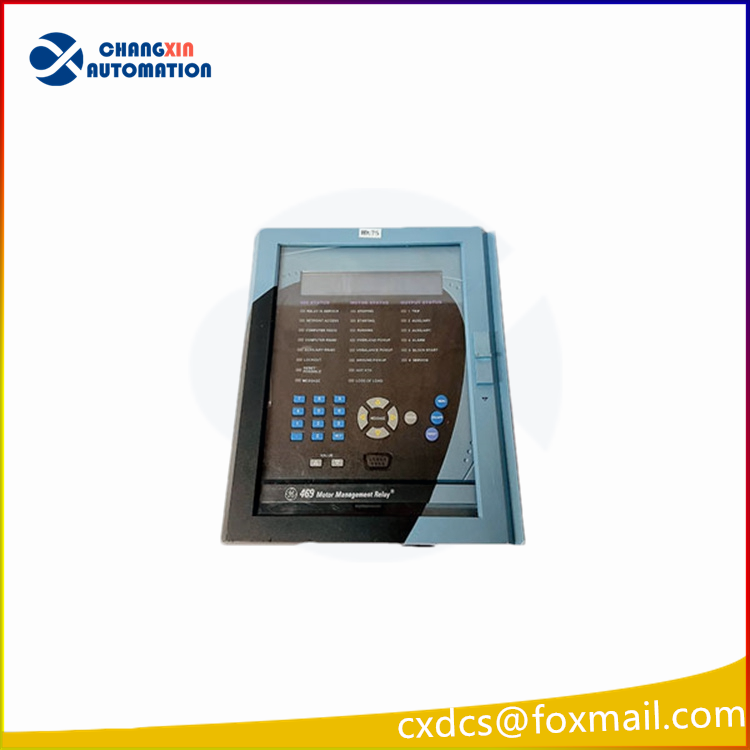


Frequently Asked Questions about 469-P5-HI-A20
What are some other accessories that can be procured with the purchase of a 469 Motor Management Relay like the 469-P5-HI-A20?
One of the most commonly purchase accessories is a SR469-Case which is a metal carry case which can also be mounted. AX Control has the cases available for purchase upon request.
Can a DeviceNet option be used with the 469-P5-HI-A20?
Yes. The 469-P5-HI-A20 uses a DeviceNet option which is detailed in GEK-106491C (a 469 communication guide). To use this option the user must ensure the that cable for networking is disconnected from the terminal strip on the back of the module before removing the relay out of the case to ensure that no damage occurs. Finally the user should put the relay back in the case by initially connecting the network cable to the terminal strips on the back of the unit. The DeviceNet has three different connection ports for this relay, it will either have the connector type that has a 5 pin connector call the Phoenix, theres also the Baud rate with either 125K, 250K, or 500K baud and then theres the DeviceNet Protocol. For more information on the DeviceNet option and its connections can be found in the manual in chapter 3.
What does the Motor and System Status do in the menu navigation for the GE Motor Management Relay 469-P5-HI-A20?
If you select the “Motor and System Status” tab in the menu on the GE Motor Management Relay 469-P5-HI-A20, it information on the last trip and the cause of the last trip. The time and date of the trip will be recorded along with of information about that last trip. Other alarms, blocking, and more can be found in this tab in the menu of the relay.

There are no reviews yet.